Describe what's actually in the image, specifically
Good alt text answers the question 'what would I say if I were describing this image over the phone.' Vague alt text ('image1,' 'photo,' or just the product category name) fails both the accessibility and SEO goals equally. For a product photo, that means color, material, and angle where relevant — 'Men's navy wool overcoat, front view' rather than just 'coat.'
Skip the keyword stuffing — one natural mention is enough
Alt text like 'cheap SEO software best AI SEO tool affordable SEO software' helps nothing and reads as spam to both screen readers and search engines. If the target keyword naturally fits the accurate description of the image, include it once; if it doesn't fit naturally, don't force it — accuracy matters more than keyword presence.
Use empty alt text for purely decorative images
Not every image needs descriptive alt text. A background texture, a visual divider, or a decorative icon that adds no informational content should use an empty alt attribute (alt="") so screen readers skip over it entirely instead of reading meaningless filler that interrupts the actual content flow — this is explicitly part of the Web Content Accessibility Guidelines, not just an SEO nicety.
Write differently for infographics and data visuals
A chart or infographic can't be adequately described in a short phrase the way a product photo can. For these, write a concise alt text summarizing the main takeaway (not every data point), and include the full data or explanation as actual visible text near the image — this serves screen reader users properly and gives search engines and AI systems real, extractable text content instead of relying on the image alone.
Keep length reasonable — a sentence, not a paragraph
Most accessibility guidance suggests keeping alt text under roughly 125 characters where possible, since some screen readers truncate longer alt text. If an image genuinely needs more context than that, a short alt text plus a visible caption below the image handles both the accessibility need and gives search engines additional real text to work with.
Common mistakes to avoid
- Leaving alt text blank on informational images out of habit, rather than only on genuinely decorative ones.
- Copy-pasting the same alt text across a gallery of visually different product images.
- Using the file name as a substitute for real alt text (img_4482.jpg tells a screen reader nothing).
Related terms
- Alt Text
- Image SEO
- Image Compression
- On-Page SEO
FREE BACKLINK PLAN
Build authority with backlinks that matter
Get a shortlist of sites that already link to competitors in your niche, ranked by authority, without doing the outreach research yourself.
- 20 link opportunities matched to your niche
- Discover competitor backlink sources
- Get actionable link-building opportunities
We'll email you the results and occasional SEO tips. Unsubscribe anytime.
Common questions
Yes — a caption is visible text near the image for sighted users, while alt text is what a screen reader announces and what search engines parse when the image itself can't load; they serve overlapping but distinct purposes and both are worth including.
Every informational image needs it; purely decorative images should use an empty alt attribute rather than being skipped entirely, since an image with no alt attribute at all can cause some screen readers to read the file name instead.
Related Reading
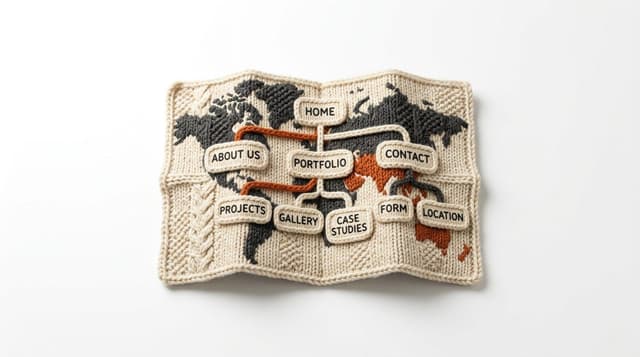
How to Create an XML Sitemap
An XML sitemap is a direct list of a site's important URLs handed to search engines, speeding up discovery especially for large sites, new sites without many external links yet, or pages that are hard to find through normal navigation.
How to Do a Content Refresh (Update Old Posts)
Refreshing old content is often faster and higher-return than writing something new from scratch — the page already has some accumulated authority and ranking history; it just needs to close the gap that's opened up between it and what's now ranking above it.