HubSpot SEO, minus the manual field-filling
Publish SEO-optimized articles straight to your HubSpot blog. SeoSorted researches, writes, and delivers SEO-ready content with titles, meta descriptions, slugs, images, and formatting handled as part of the workflow.
SETUP TIME
~2 minutes
SYNC
One-way, auto publish
AUTH
API Token / Credential
AVAILABLE ON
Free & Pro plans
Connect HubSpot with SeoSorted in minutes
No copy-pasting, no manually setting up every article before publishing.
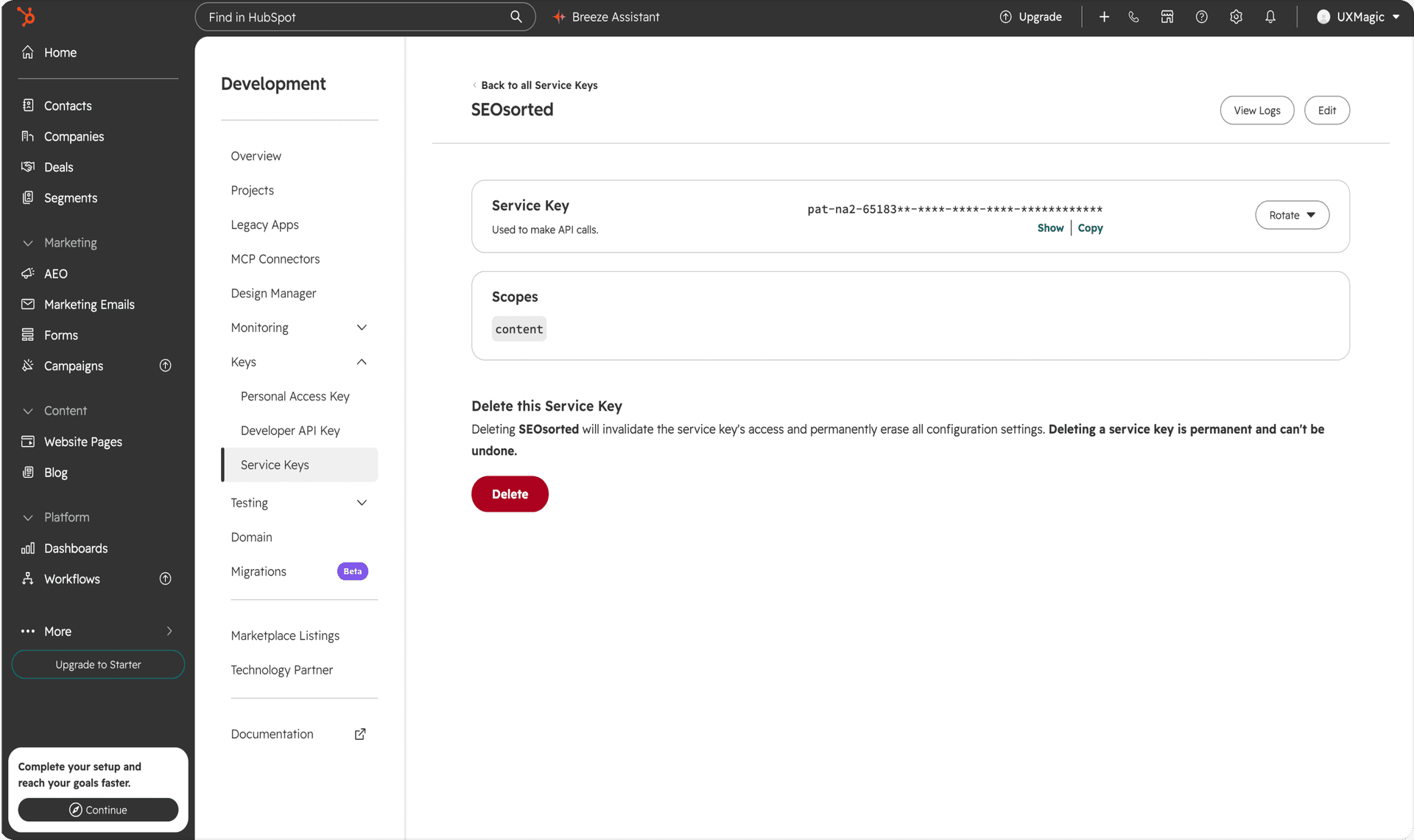
Generate Your HubSpot Service Key
Go to Development → Keys → Service Keys in HubSpot. Create a new service key, enable the required content permissions, and copy your key. Need help? View the setup guide
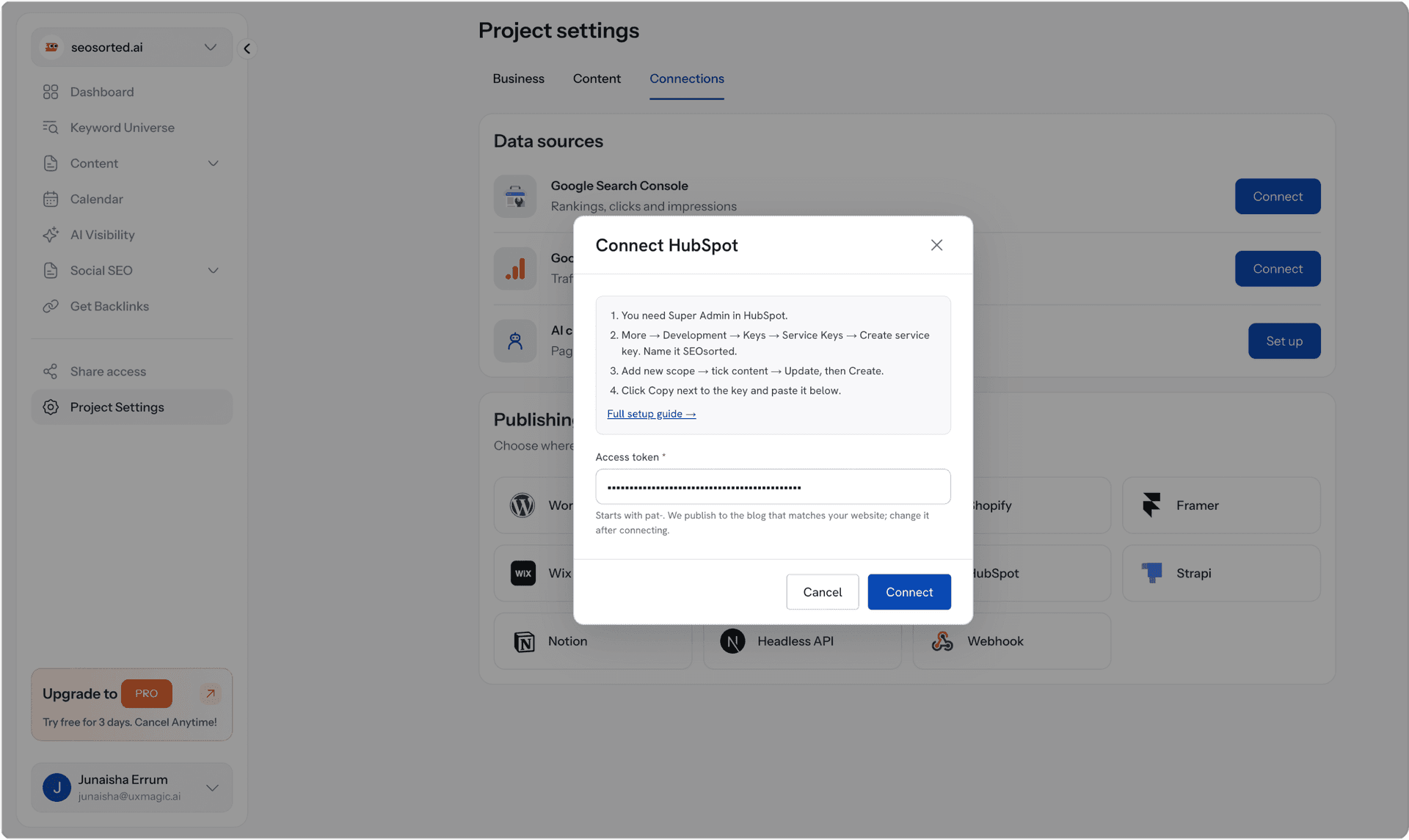
Connect Your HubSpot Account
Go to Project Settings → Integrations → HubSpot in SeoSorted. Enter your service key to securely connect your account.
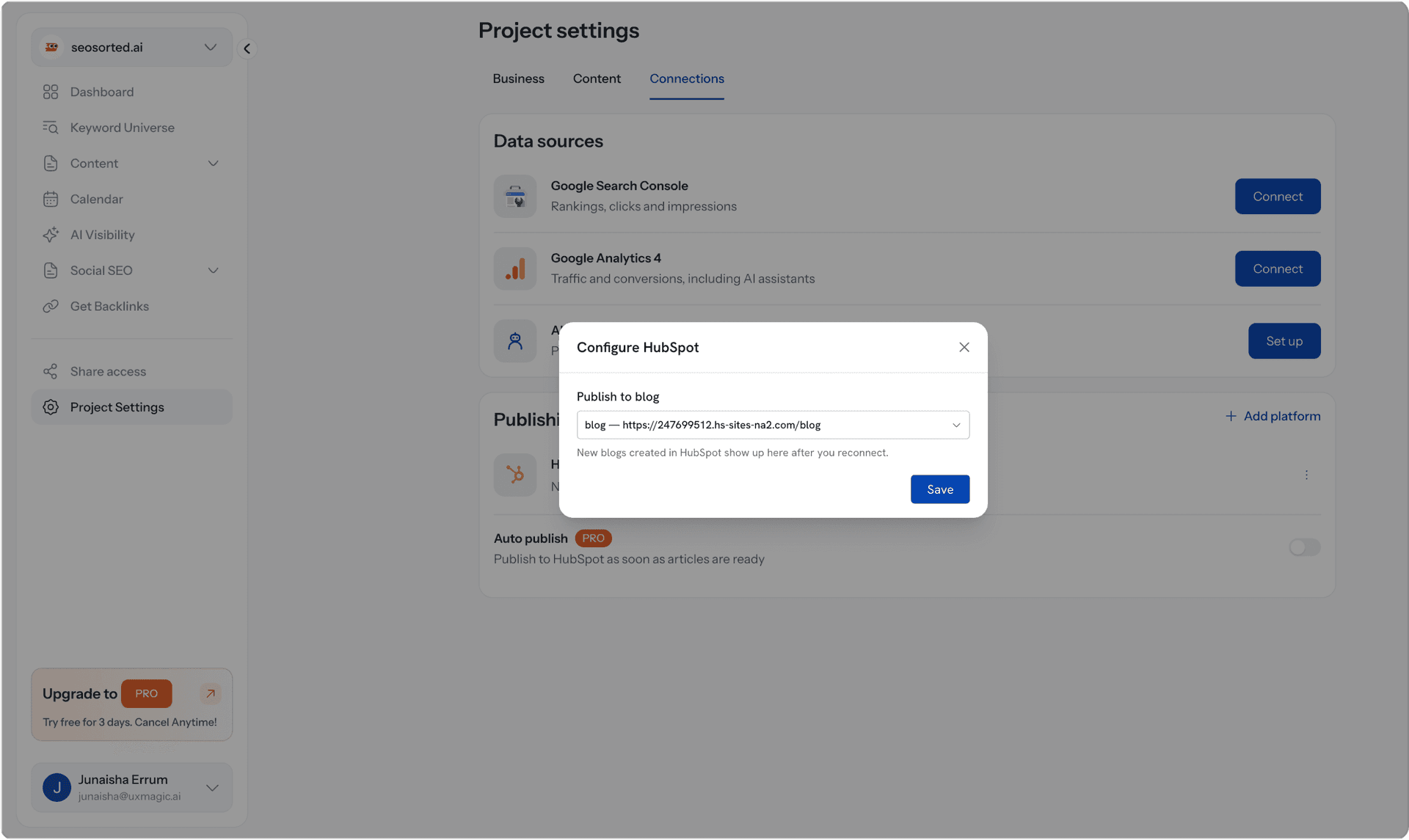
Configure Your HubSpot Blog
Select the HubSpot blog where you want your SeoSorted articles to be published.
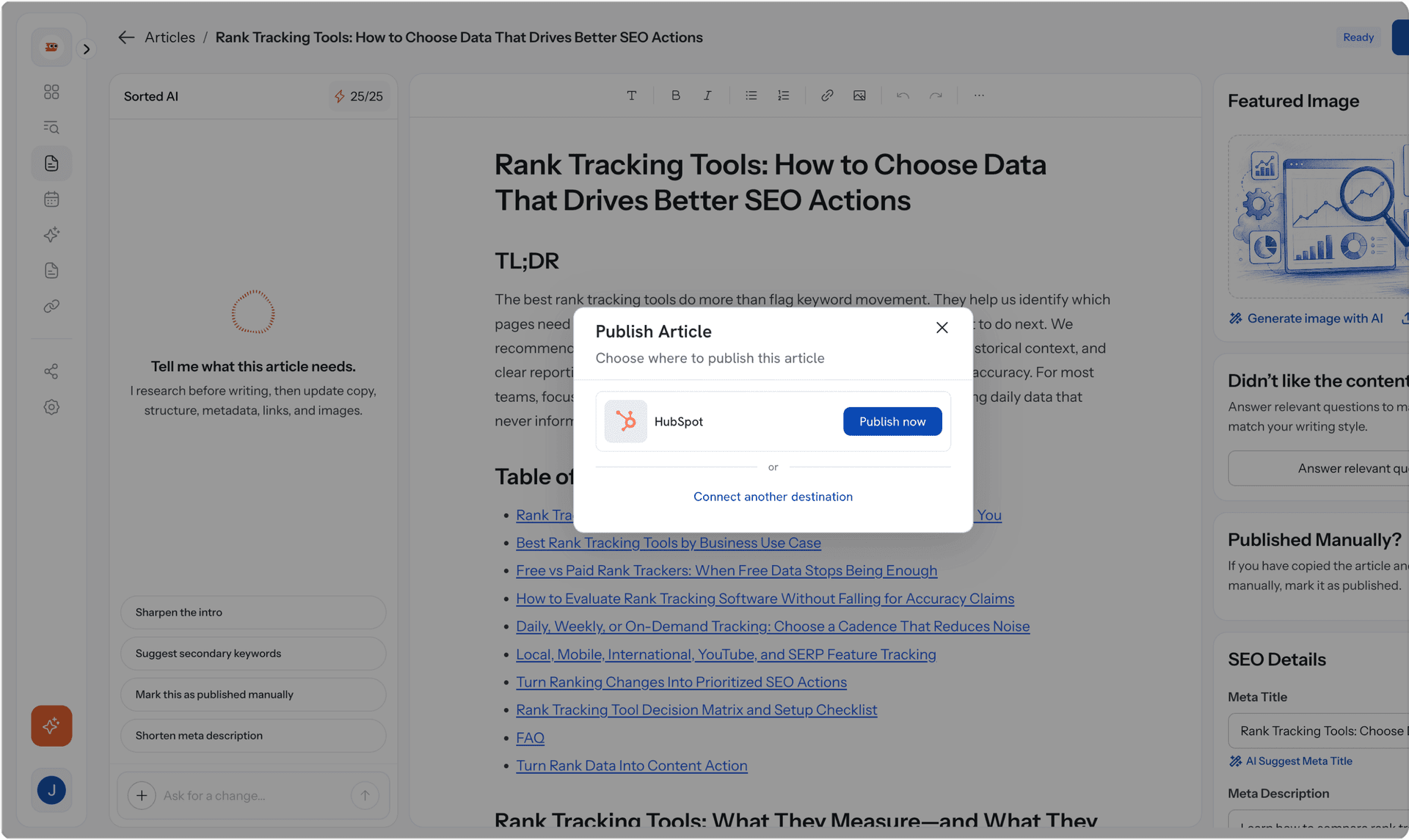
Articles start publishing automatically
Each article arrives fully formatted, with SEO fields and images ready saved as a draft for your review or published automatically when you're ready.
Why HubSpot teams choose SeoSorted

No CMS fields left half-filled
Keep every article complete without manually filling titles, meta descriptions, slugs, images, and other SEO fields. SeoSorted handles them as part of the publishing workflow.

Built for teams publishing consistently
Whether you're managing a company blog, marketing campaigns, or multiple client websites, SeoSorted keeps research, writing, optimization, and publishing in one workflow.

Works with your existing HubSpot setup
No need to rebuild your website or change how your blog is structured. Connect your existing HubSpot blog and SeoSorted delivers articles into the publishing setup you already use.
Thinking about hiring a HubSpot SEO agency instead?
An SEO agency or freelance expert can audit your site, plan your strategy, and tell you what needs improving. SeoSorted handles the ongoing execution — researching keywords, writing SEO-ready articles, and publishing them directly to your HubSpot blog.
Common questions

Connect your HubSpot account once and SeoSorted can send your generated articles directly to your HubSpot blog. Your content, SEO fields, images, and formatting are handled as part of the publishing flow, so you don't have to manually copy and paste every article.
Yes. Once your HubSpot account and blog are connected, you can publish SeoSorted articles directly to your HubSpot blog. That means you can go from keyword research and content generation to a published article without switching between tools.
Yes. HubSpot gives you control over important SEO elements like page titles, meta descriptions, URLs, headings, and content optimization. The gap isn't the platform it's consistently researching, creating, optimizing, and publishing content. That's the part SeoSorted automates.
Mostly, yes. HubSpot provides built-in SEO recommendations, content management tools, and controls for essential search settings. What it doesn't automatically handle end to end is ongoing keyword research, SEO article writing, and publishing optimized content at scale. SeoSorted handles that layer.
Not necessarily, it replaces much of the ongoing content production work. Agencies and freelancers are often focused on strategy, technical SEO, and audits; SeoSorted is the system that keeps researching, creating, and publishing optimized content between those engagements, for a fraction of a retainer.
You don't need to write code, but you'll need access to the required HubSpot settings to create a private app and generate an access token. Once your account is connected, SeoSorted handles the ongoing content publishing workflow.
Other integrations