Webhook SEO, minus the manual field-filling
Send content payloads to any custom webhook URL. SeoSorted researches, writes, and publishes SEO-ready articles straight into your Webhooks setup — meta fields, schema, and images already filled in.
SETUP TIME
~2 minutes
SYNC
One-way, auto publish
AUTH
API Token / Credential
AVAILABLE ON
Free & Pro plans
Connect Webhook with SeoSorted in minutes
No exporting HTML, no rebuilding your CMS fields by hand.
Connect Your Webhook Account
Prepare an endpoint to receive POST requests containing your article data.
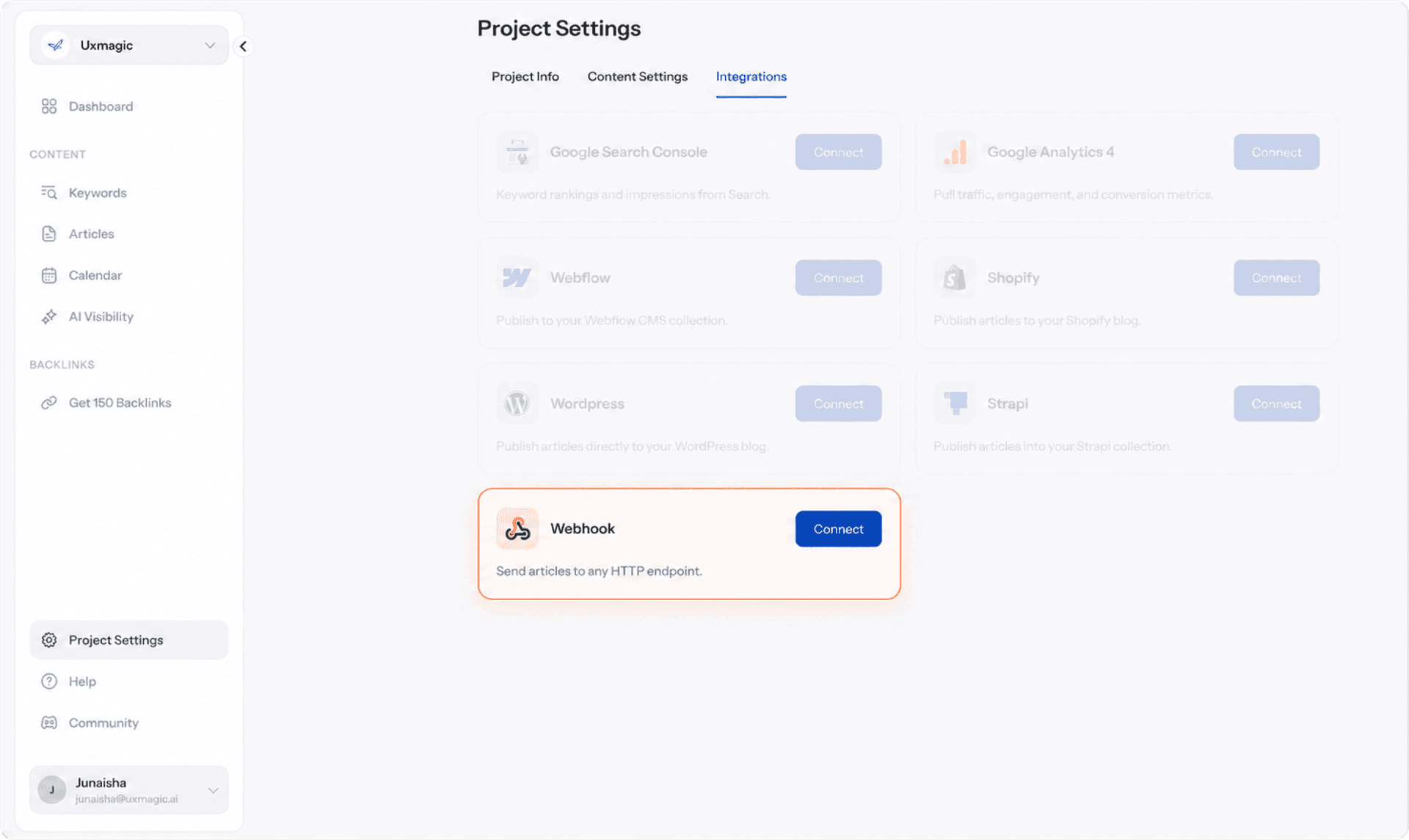
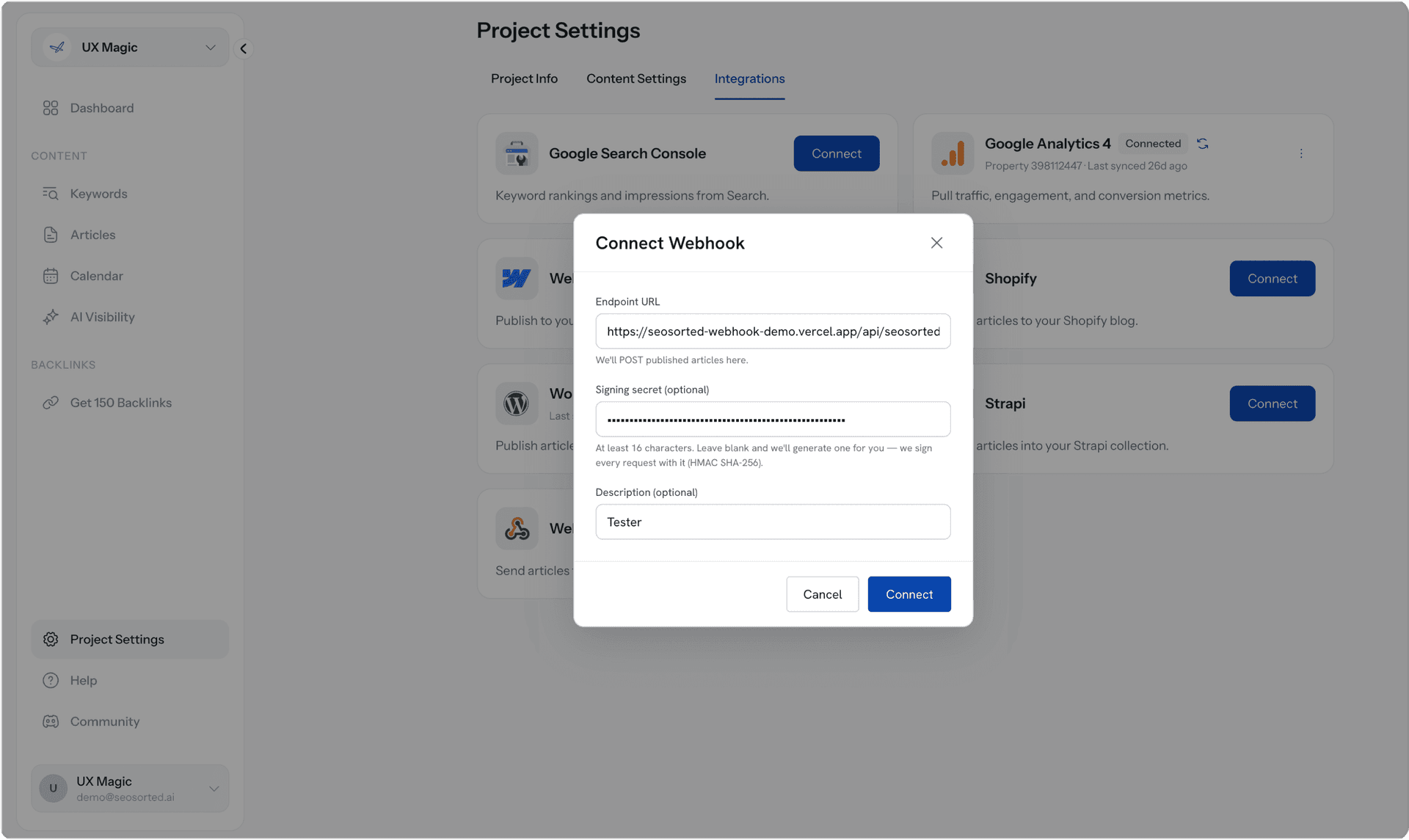
Paste Your Credentials into SEO Sorted
Copy your Site ID and the Token, and paste them into the SEO Sorted connection form.
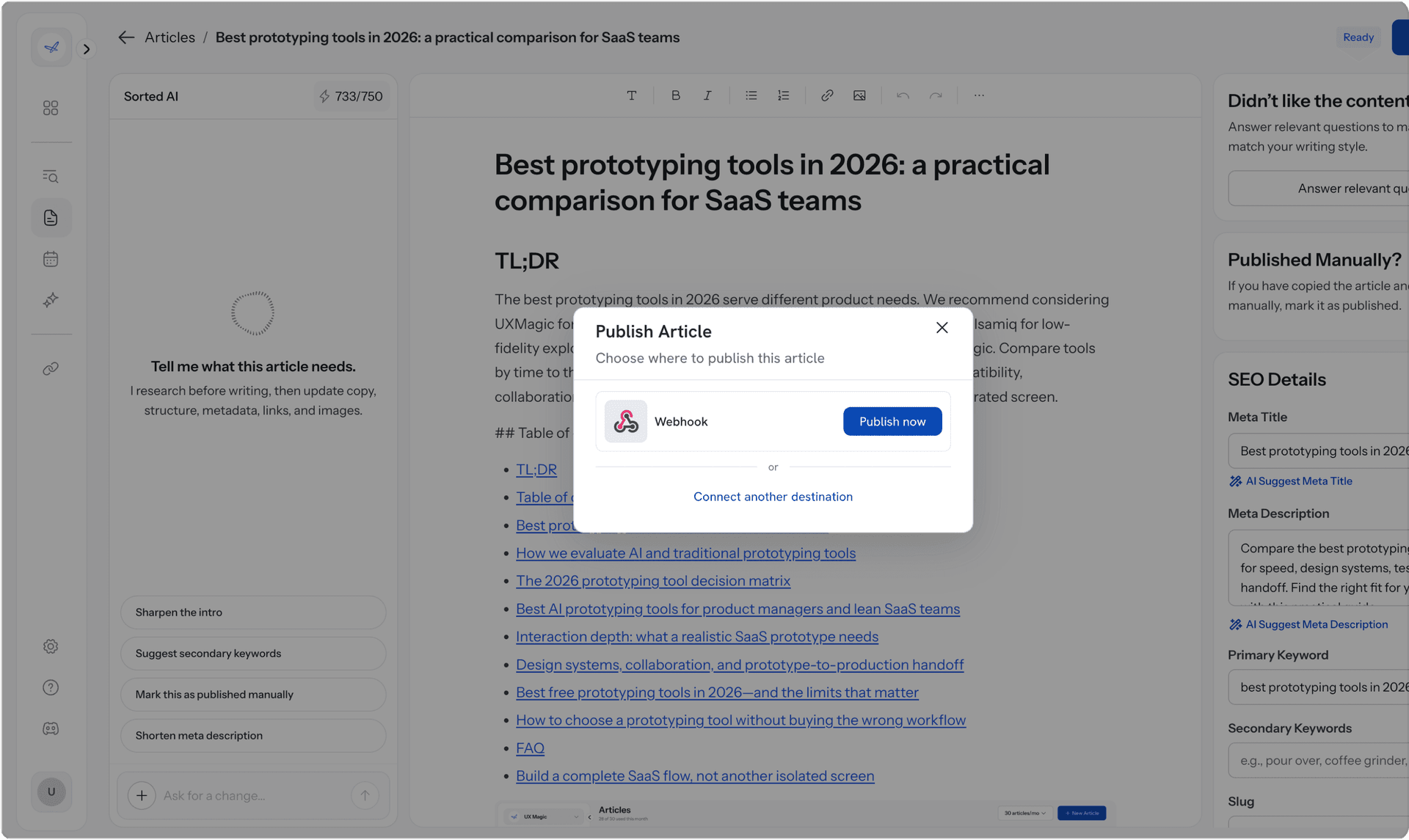
Articles start publishing automatically
Each article arrives fully formatted, schema-tagged, and image-illustrated — landing in a READY state for your review, or set to auto-publish when you're confident in the output.
Why Webhook teams choose SeoSorted

No CMS fields left half-filled
Webhooks SEO usually breaks down at the CMS collection level someone has to fill in meta fields, alt text, and slugs by hand for every post. SeoSorted fills every field on every article, automatically.

Built for agencies managing client sites
Running content across multiple Webhooks client sites means repeating the same manual setup every time. Connect each site once and the field-mapping carries over.

No developer required
No custom code, no CMS API scripting. If you can generate credentials, you can connect SeoSorted no-code teams included.
Thinking about hiring a Webhook SEO agency instead?
A Webhooks SEO agency or freelance expert can audit your site and tell you what's wrong. SeoSorted researches the keywords, writes the article, and publishes it into your CMS — the part an audit doesn't do for you. Use both if you want: SeoSorted keeps the content pipeline running while an agency handles strategy.
Common questions

Add your webhook endpoint once and SeoSorted can send generated articles directly to your workflow or application. The article content and relevant publishing data are delivered automatically, so you can decide what happens next on your side.
Yes. Once your webhook is connected, SeoSorted can deliver generated articles directly to your endpoint. From there, you can use the data to publish content, trigger automations, update your CMS, or connect it with your existing workflow.
Yes, Webhooks gives you full control over meta tags, headings, and schema, which are all things Google cares about. The gap isn't the platform, it's keeping every CMS item filled in consistently as you publish more content. That's the part SeoSorted automates.
Mostly, yes fast page loads, clean code, and built-in fields for titles and meta descriptions. What it doesn't do automatically is the keyword research, the writing, or filling those fields in for you at scale. SeoSorted handles that layer.
Not necessarily, it replaces the content production work. Agencies and freelancers are often strategy and technical-audit focused; SeoSorted is the system that keeps producing and publishing optimized content in between those engagements, for a fraction of a retainer.
Some basic technical setup may be required, since you'll need a webhook endpoint that can receive the data SeoSorted sends. Once the endpoint is configured, SeoSorted handles the article delivery automatically.
